Obsidian themeFree and open source, on the Nord palette
Everything
lines up.
Nord Lane is a calm, wide theme for Obsidian. Text, tables, Dataview output and embeds share one column, in light and dark, and your phone shows exactly what your desktop does.
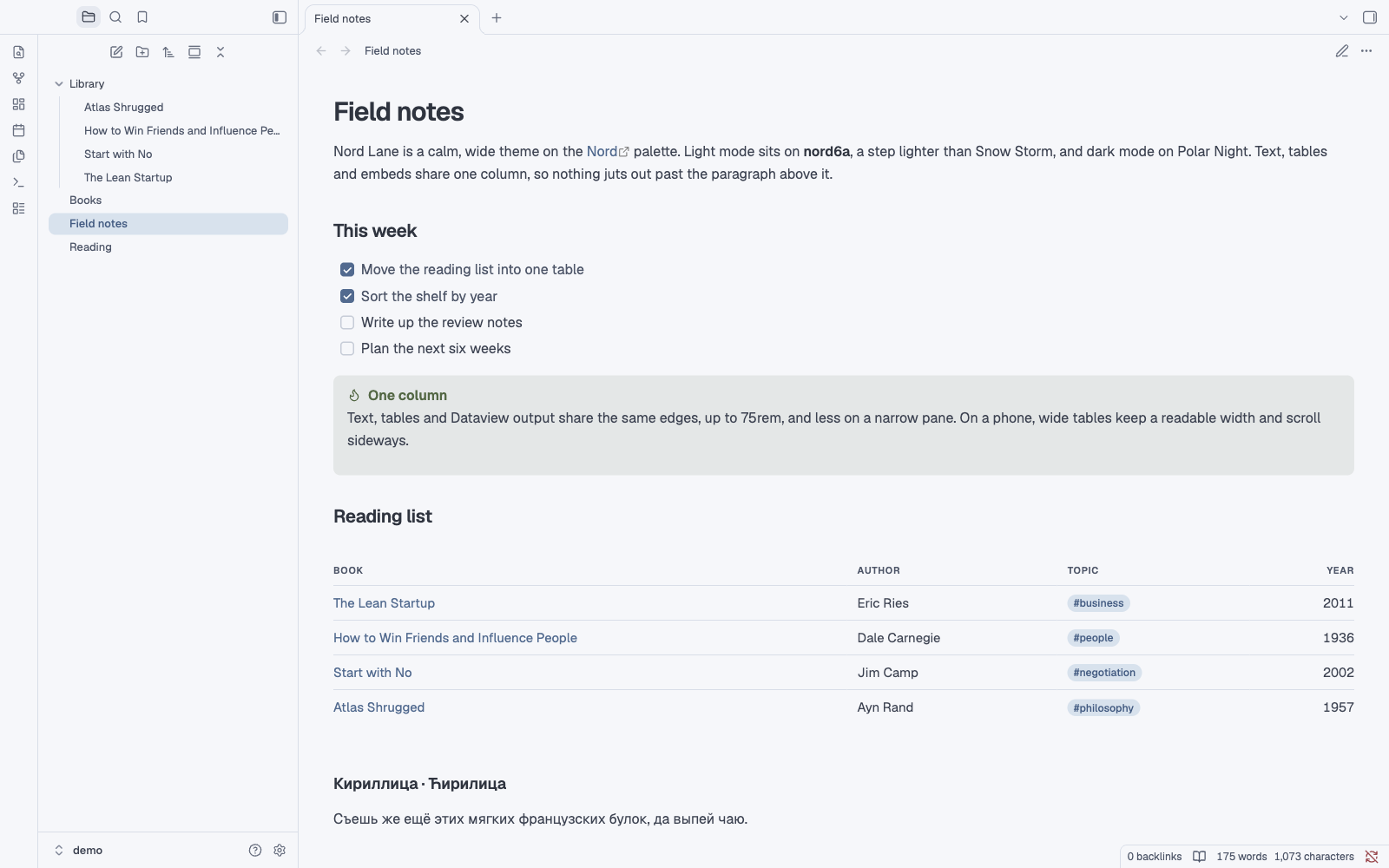
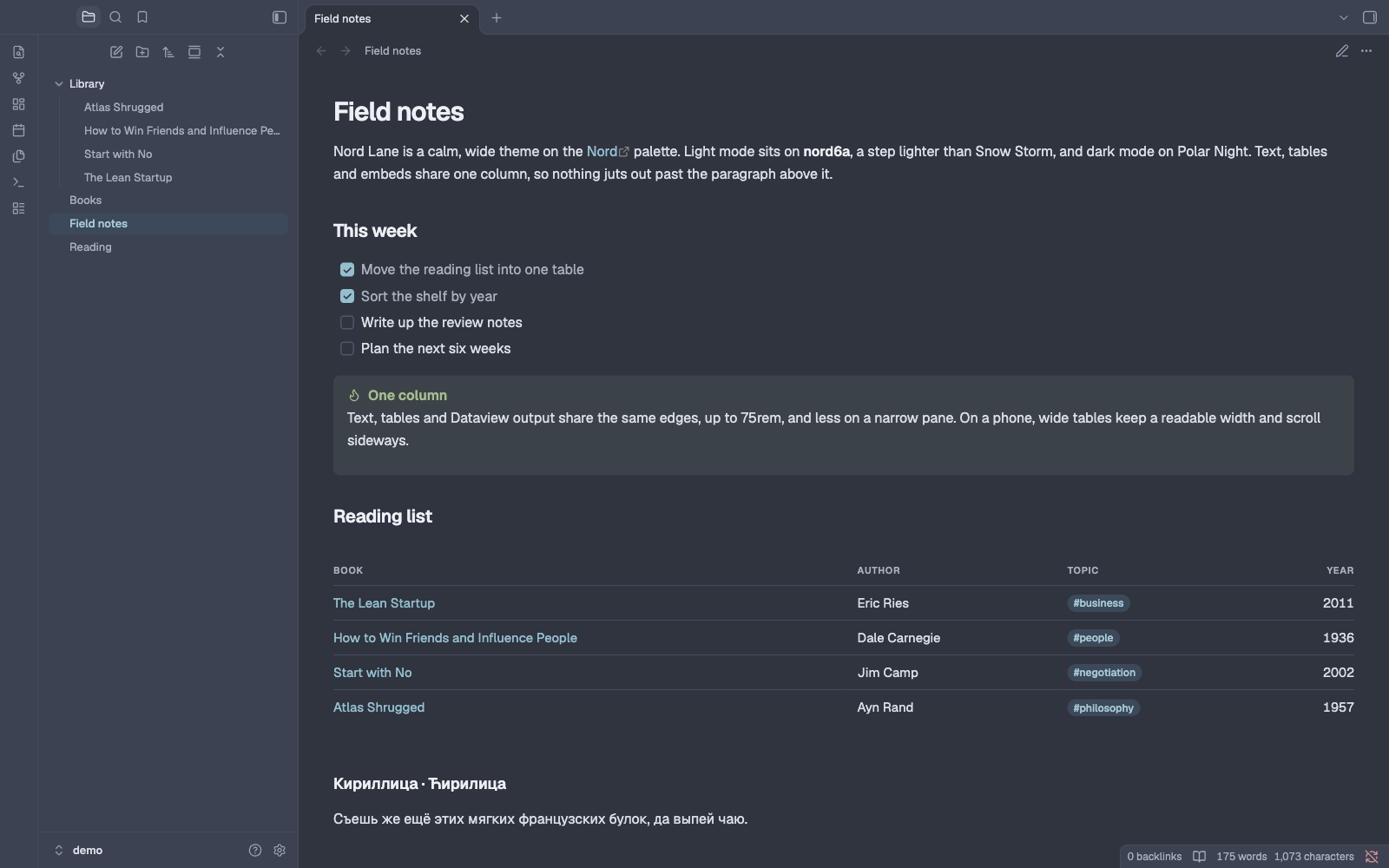
- One column
- 75rem
- text, tables, Dataview and embeds
- Table text
- 15 px
- 14 px in a pane under 700 px
- Light and dark
- 2 modes
- Snow Storm and Polar Night
- Built in
- Geist
- and Geist Mono, nothing to install
- Latin and Cyrillic
- Aa Жж
- Russian and Serbian included
- Open source
- MIT
- Nord and Geist credited
01One column
Nothing juts out past the paragraph above it.
Text, tables, Dataview output and embeds share the same edges, up to 75rem, and less on a narrower pane. Live Preview and reading view look the same, so switching between them moves nothing.
- Column
- 75rem, never wider than the pane less its gutters
- Gutter
- 2.5rem on the desktop, 1rem on a phone
- Wide notes
cssclasses: [full]takes the whole pane
Reading log
One column
02Palette
Snow Storm by day.
Polar Night after dark.
Light mode puts every background on nord6a, a Snow Storm step halfway between nord6 and white, and separates areas with nord4 hairlines. Dark mode is Polar Night. Accents come from Frost, states from Aurora, and where a Nord colour is too light for small text, the text takes a darker step of the same hue.
Polar Night
Dark surfaces, light-mode ink
Snow Storm
Light surfaces and hairlines
Frost
Links, buttons, focus, heat
Aurora
States, callouts, tags
Lighton nord6a
DoneReadingWaitingDroppedRe-read
HeadingBody textMutedA link#tag
Text steps on nord6a, raw Nord → Nord Lane: links 3.8 → 5.2:1, green 1.9 → 5.8:1, amber 1.5 → 6.1:1, red 3.8 → 5.6:1, violet 2.6 → 4.9:1.
Darkon Polar Night
DoneReadingWaitingDroppedRe-read
HeadingBody textMutedA link#tag
Body text 9.2:1 on nord0, muted 5.7:1. Accents in nord8, the brightest Frost, so links and buttons stay clear.
03Tables
One table style, wherever the table comes from.
Markdown tables, Dataview tables and the Live Preview table editor share one look: 15 px text, quiet uppercase headers, hairline rows and tabular numbers. In a pane under 700 px, tables drop to 14 px, and wide ones keep a readable width and scroll sideways.
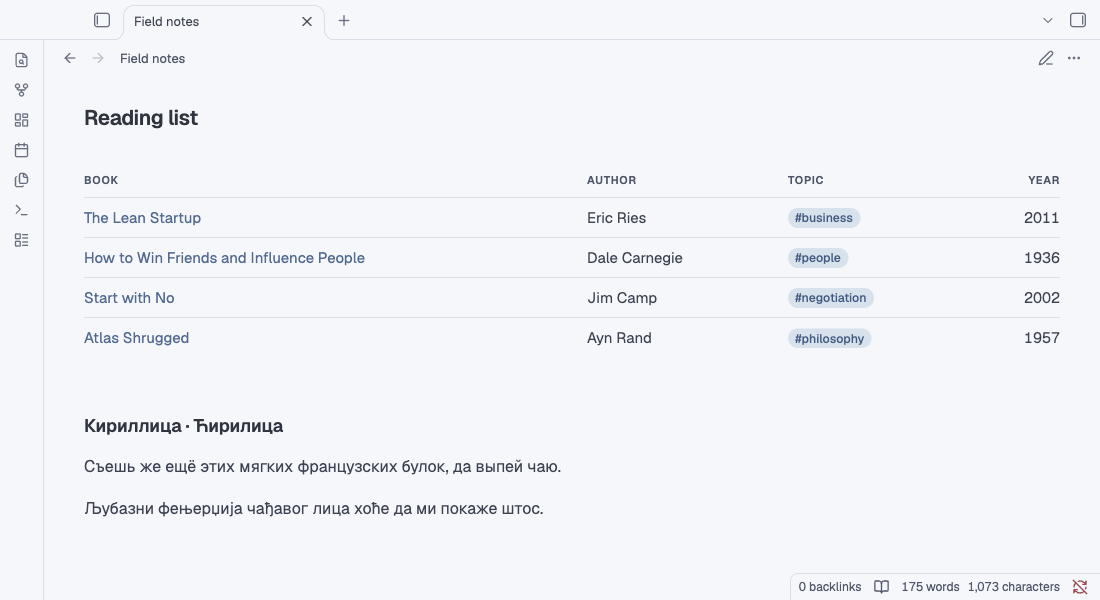
- Headers in 11 px uppercase over hairline rows. On a long table they stay in view while you scroll.
- Tags sit in the table as quiet pills, and numbers use tabular figures that line up on the right.
- Dataview tables take the same style, and Dataview's - placeholders show as a faint dash.
cssclasses: [table-mono]sets one note's tables in Geist Mono, for ledgers.
04Cards
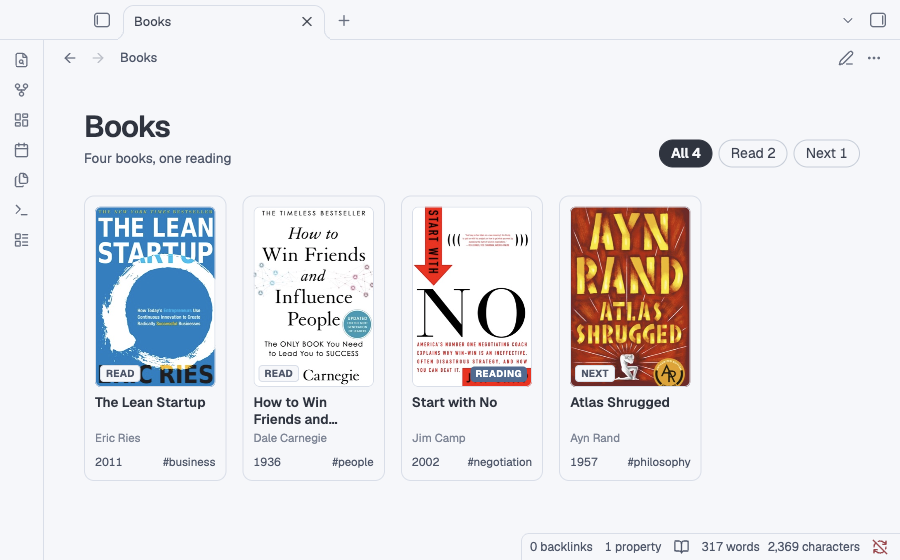
Cover cards for every collection.
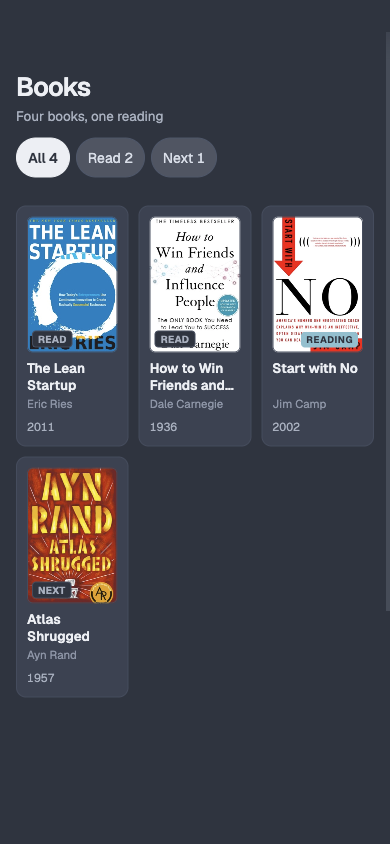
Optional gc-* classes turn a dataviewjs view into a grid of cover cards: books at 2:3, games in a square box, with corner badges, filter chips and a meta line under each title. A book without a cover file gets a typeset stand-in, as here.
- Grid
- gc-grid, 160 px columns, 132 px for books
- Card
- gc-card, gc-cover, gc-title, gc-meta
- Extras
- gc-filter, gc-badge, gc-nocover
05Dashboards
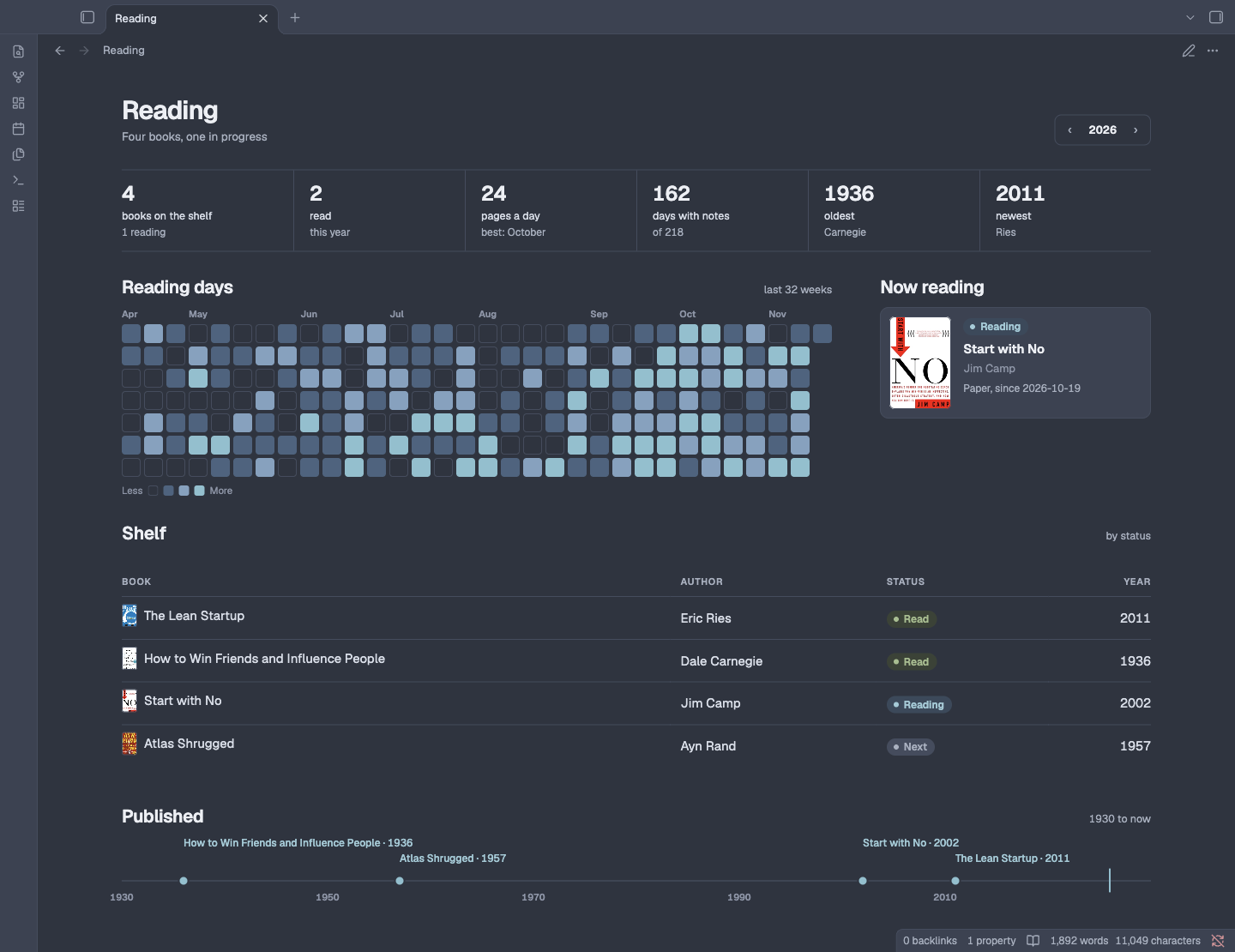
Dashboards in the same style as your notes.
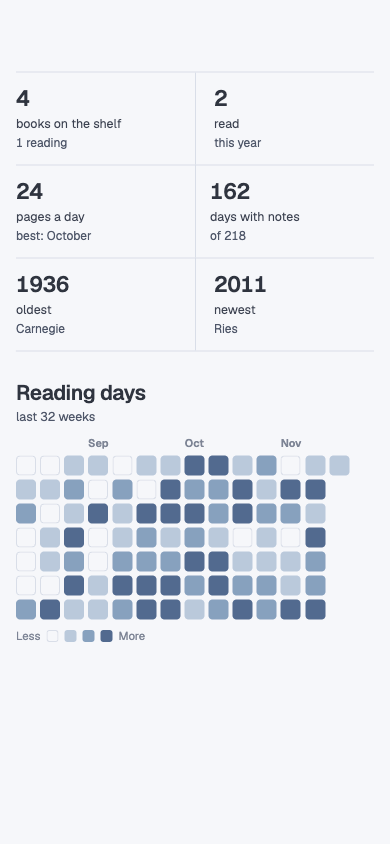
nl-* classes give your dataviewjs views a page head, stat strips, pills, tables, heatmaps and timelines, in the same type and colours as your notes. They do nothing until a view uses them.
The markup each one expects is in docs/components.md.
06Mobile
The same notes on your phone.
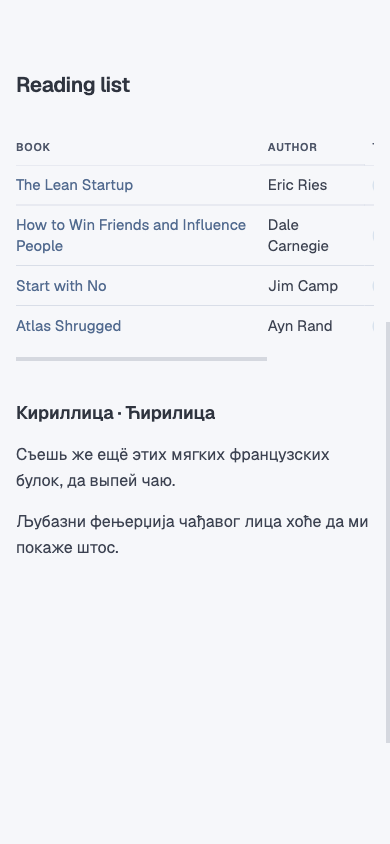
Geist and Geist Mono are embedded with Latin and Cyrillic, Russian and Serbian alike, so phones and tablets render exactly what the desktop does. Layouts follow the note pane, not the screen: under 700 px, tables drop to 14 px and scroll sideways, stat strips fold to two across, and every tap target is 44 px.
07Options
Options when you want them.
There is no settings screen to learn. Add a class to a note's frontmatter when one note needs more room, a reading measure or a ledger. Change the column, the table text or the frontmatter size for the whole vault with Style Settings or a CSS snippet.
Every option is in the README.
In a note's frontmatter
yaml---
cssclasses:
  - full        # the whole pane width
  - table-mono  # this note's tables in Geist Mono
  - prose       # reading text to a comfortable measure
---
In a CSS snippet, for the whole vault
cssbody {
  --nl-col-max: 60rem;   /* the column, 75rem by default */
  --nl-bleed: 2rem;      /* tables and Dataview past the text, 0 by default */
  --nl-prose-max: 40rem; /* the prose measure, 46rem by default */
}
08Install
Two files, one folder.
Until Nord Lane is in the community theme browser, install it by hand. It works on desktop and mobile, with no plugins required.
-
01
Download
Get theme.css and manifest.json.
-
02
Copy
Put both files in a folder named Nord Lane, inside your vault's themes folder.
.obsidian/themes/Nord Lane/ -
03
Choose
Open Settings, then Appearance, and pick Nord Lane under Themes.
Or clone it and runpython3 build.py /path/to/vault
Tested in Obsidian 1.15 on desktop and in its mobile emulation, in Live Preview and reading view, light and dark.